
The software I didn’t choose and couldn’t change
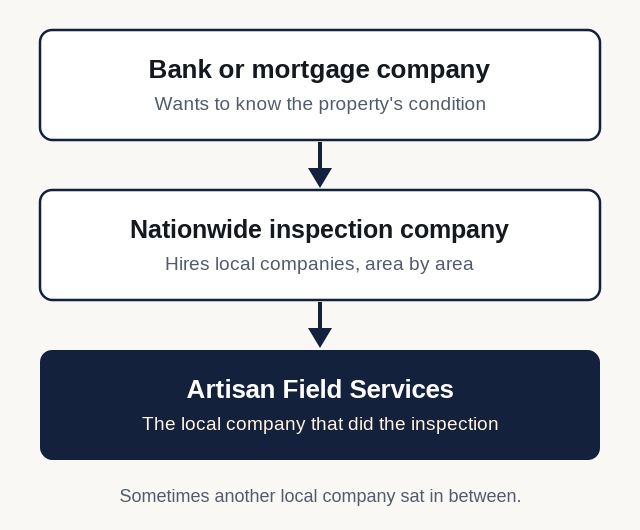
From June 2013 to December 2017, I owned and ran Artisan Field Services, a property inspection company. Our work came from banks and mortgage companies. When a homeowner fell behind on mortgage payments, the lender wanted to know the condition of the property.
The lender hired a large nationwide company, and that company hired local companies to do the inspections area by area. Artisan was one of those local companies, the one that actually went to the property.
The work was simple to describe. We drove to each property and photographed it. If it was vacant, we walked around it, went inside, and photographed any damage. At our peak we handled more than 3,000 inspections a month, with up to 9 independent contractors working at once and 21 over the life of the business. As we grew, most of my job became training and managing the inspectors.
The inspection software wasn’t mine. A large third-party company provided it and required us to use it. I couldn’t change a single screen.
If you run a field service business today, you may know that feeling. Maybe a big customer chose the platform for you. Maybe you’ve put too much into it to switch. Either way, the question is the same one I had: what can I improve when I can’t change the software?
Field service management challenges nobody shows you in the demo
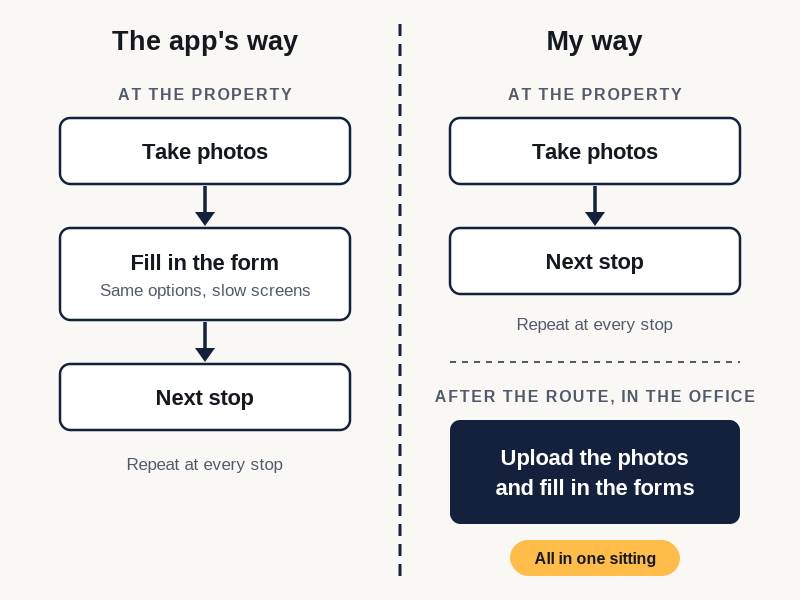
At first, we used digital cameras and uploaded the photos and filled in the forms on the company’s website. Then the mobile app arrived. It was slow, and it expected us to fill in the inspection form at each property before we could move on to the next one.
On paper that sounds efficient. In practice, it was our bottleneck. Often I was ticking the exact same options on every inspection, standing in front of each house, waiting on slow screens.
Timing made it worse. In our work, about 80% of the month’s inspections arrived in one busy week, with a short window to finish them. When field service software isn’t working for your crew, it rarely fails all at once. It costs a little time at every stop, and that time multiplies by the number of stops.
Find out what each requirement is really for
The company preferred the mobile app and pushed us to use it. The reason was location: photos taken in the app recorded where they were taken.
So the real requirement wasn’t the app. It was the location on every photo. I used a digital camera that also recorded the location on each photo, and the requirement was met without the slow screens.
The requirement was the location on the photo. The app was just one way to get it.
Requirements kept being added all through those years. Part of my job was working out which ones the bank or mortgage company actually needed, and making sure we always delivered those.
The same idea works in any field service business. When a rule slows your crew down, ask what it’s for. Once you know the result it needs, there may be a faster way to deliver it.
How I improved field technician productivity without new software
A good field service management workflow separates the work that has to happen at the property from the work that doesn’t. Mine came down to this:
- At the property, only capture. Take the photos and move on.
- After the route, in the office, upload the photos and fill in the forms on the website, all in one sitting.
- Plan the route ahead, so no stop gets missed (more on that below).
Working this way, I typically completed 80 to 120 inspections a day in the busy week, depending on the area, and 30 to 50 a day in the other weeks. Most routes ran through suburban neighborhoods.
Not everyone worked like this. Some of my contractors preferred the mobile app, and that was fine. The requirement was met either way.
A small tool built around the system, not a replacement for it
The other problem was the route. With dozens of stops a day, it’s easy to miss one, especially when the GPS gets confused. And a missed stop was expensive. Our furthest areas were more than an hour from my office, so a missed inspection there meant a round trip of two hours or more.
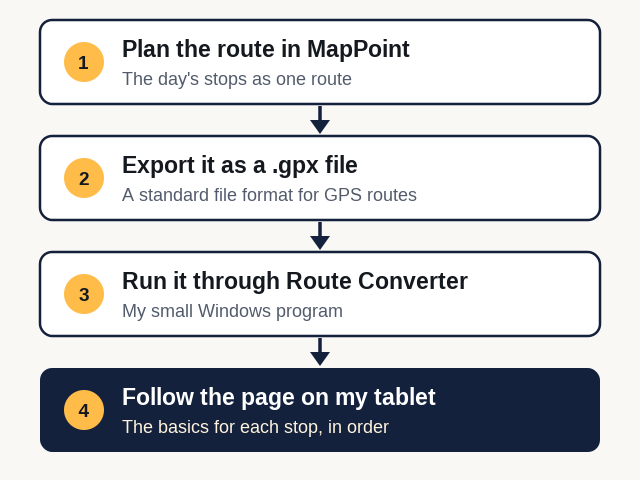
I planned each route in Microsoft MapPoint and exported it as a .gpx file, a standard file format for GPS routes. Then I wrote a small Windows program, Route Converter, that turned that file into a simple web page. I opened the page on my tablet and followed along, with the basics for each stop, like the address and whether the property was vacant.
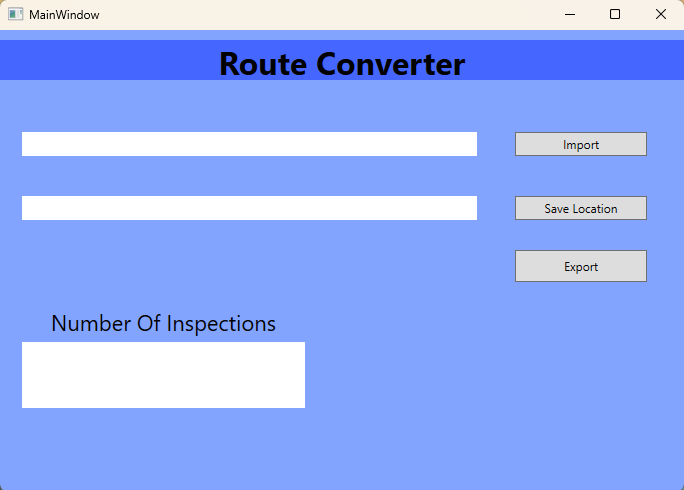
I’d built it by mid-2016. Its only job was to keep me from missing a stop, and that was the job that mattered.
The lesson isn’t that you should write your own software. It’s that the biggest gain often comes from a small fix to one specific gap, around the system you already have. Today that fix might be a setting you’re not using, a shared checklist, an automation, or a simple tool someone builds for you.
What to check before buying field service software
If your software feels slow or clunky, switching is a reasonable thought. But a new platform brings its own work: setting it up, moving your data, and retraining your crew. Before you take that on, check these.
If you go through those and the software is still the problem, switching may be the right call. And you’ll know exactly what the new one needs to do better.
Frequently asked questions
What should I know before buying field service software?
Know where your crew's time goes today, which requirements are real, and what you need new software to do better. Without that, it's hard to tell whether a new platform will fix the problem or just move it.
My field service software is slow. Should I switch?
Not necessarily. First check whether the slow part has to happen in the field at all. In my business, moving the paperwork from the property to the office got around the bottleneck without changing software.
What are common complaints about field service software?
In my experience, the biggest ones were slow screens, forms that had to be finished before you could move on, and entering the same answers on every job. Those are workflow problems as much as software problems, so they're worth looking at before you switch.
How can I improve field technician productivity without new software?
Look for steps that repeat at every job and ask whether they have to happen there. Batch the paperwork, plan routes ahead, and drop steps that no customer actually needs.
When is switching field service software worth it?
When you've checked your workflow and settings and the software still can't do what your business needs, or the workarounds cost more time than they save. By then, you'll also know exactly what to look for in a replacement.
Not sure if it’s the software or the setup?
From the inside, while you’re busy running jobs, the two can look exactly the same.
That’s what my Systems Check is for. I work hands-on inside your current platform, your accounting and your integrations, and within a week you get a written report with what I found and a list of fixes. The answer might be a new platform. It might also be a setting, a workflow change, or a small tool around what you already have. Either way, you’ll know before you spend money on something new.
See how the Systems Check works